Photo selection and studio management
in the photographer's hands
Partiu Estúdio is your front-desk app: schedule sessions, guide photo selection with graduates using zoom and gestures, calculate included and extra photos instantly, and close the order with products, terms, signature, and payment by Pix, card, or bank slip, all on one device.
From booking to payment, without leaving the screen
Partiu Estúdio supports photographers at every step: session calendar, photo selection with graduates, included and extra photos, products, review, terms, signature, and payment.
Photo selection
Choose photos with the graduate in a grid, with full screen, pinch zoom, and gestures to select and browse.
Session calendar
Daily and weekly sessions, upcoming appointments, confirmation, cancellation, and rescheduling.
New booking
Step-by-step wizard: graduate, service, photographer, and truly available times in real time.
Allowance & bonuses
Photos included in the package plus complimentary photos form the free allowance; extras are charged after that.
Optional products
Offer add-on products with variations and prices, or skip the step in one tap.
Terms & signature
Selection agreement on screen, with acceptance and digital signature from the graduate on the device.
Instant payment
Pix with QR code, card, bank slip, cash, or manual entry, with installments and fee simulation.
Studio dashboard
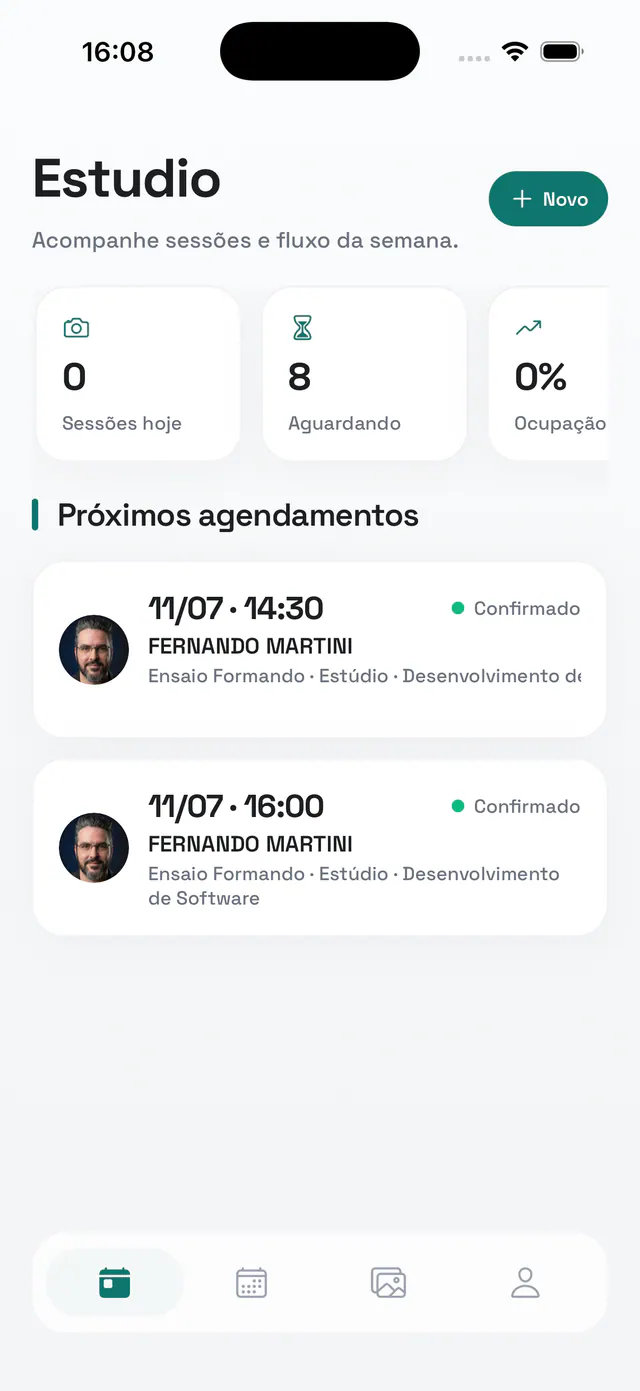
Today sessions, waiting list, and occupancy as visual indicators, right on the home screen.
Every photo session right on time
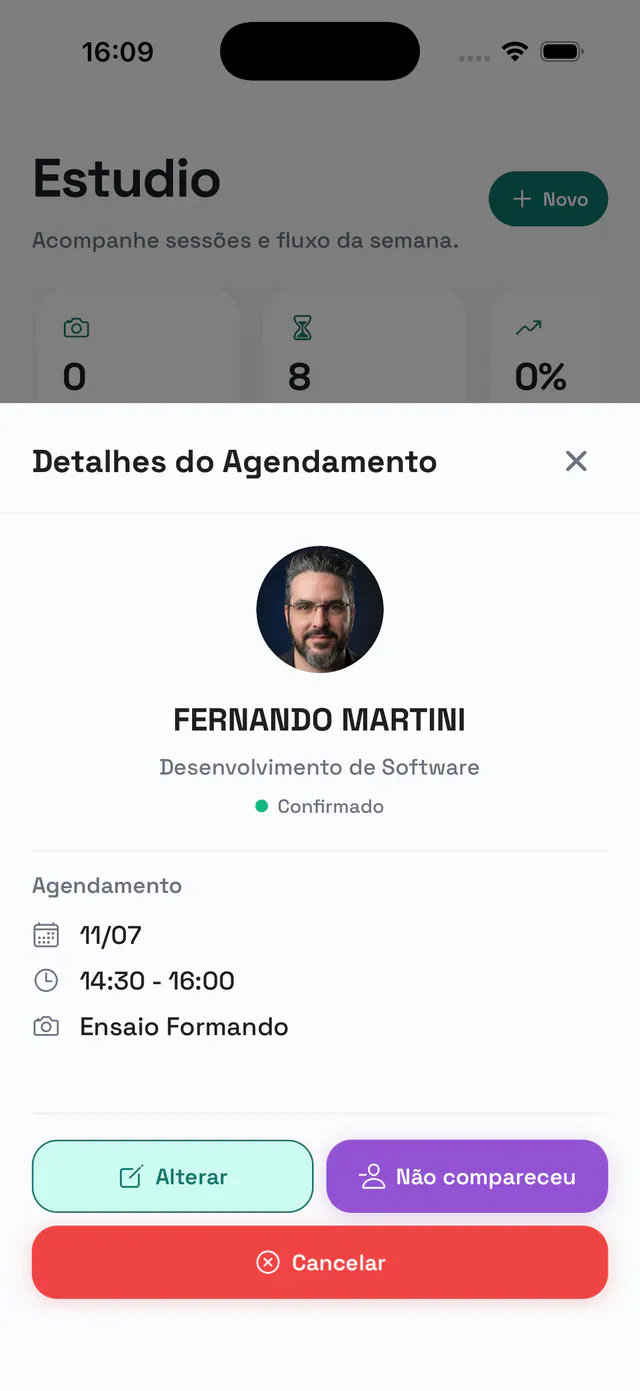
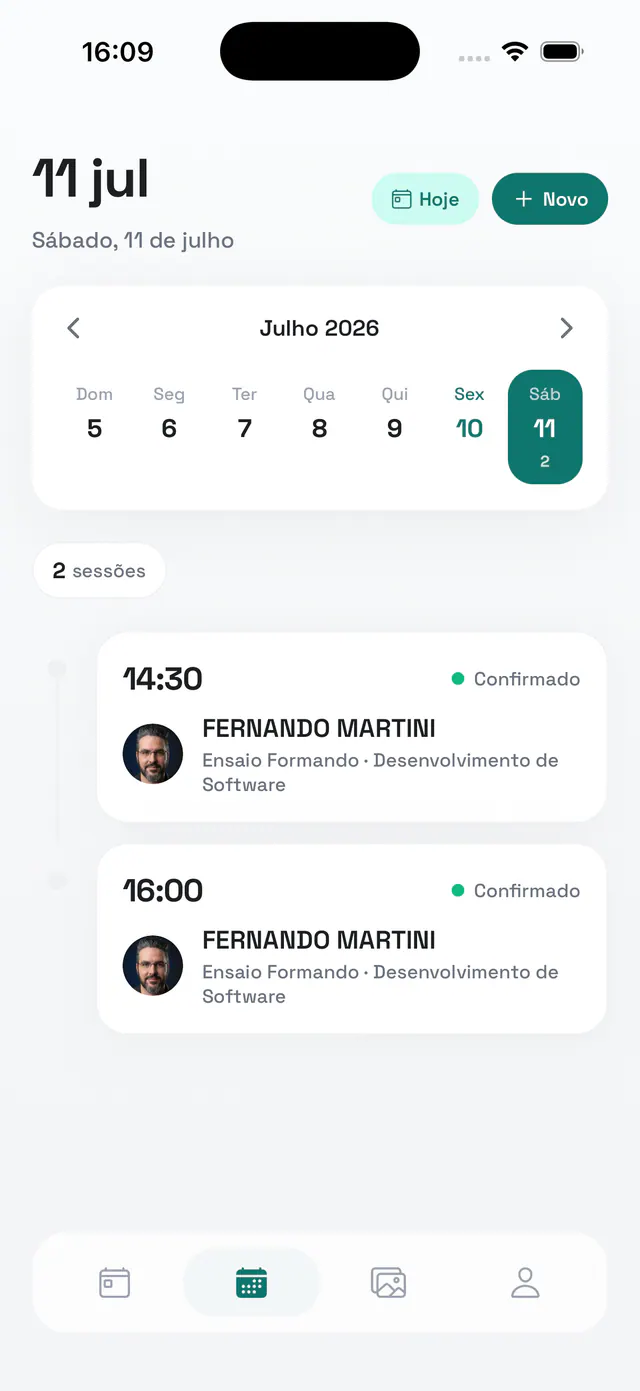
Track daily and weekly sessions in a visual calendar, with a session counter, upcoming appointments, and the status of each one. Tap a session to see the details and confirm attendance, mark no-shows (with an optional fee), contact the graduate, or reschedule in seconds.
- Daily and weekly sessions with counter and status
- Session details: edit, mark no-show, or cancel
- Contact the graduate directly
- Reschedule in seconds
Book a session in a few taps
A step-by-step wizard guides the booking: find the graduate, choose the service and photographer, and select the date. Available times are calculated instantly, so you only offer slots that are truly open, with no risk of scheduling conflicts.
- Step-by-step booking wizard
- Graduate search and service selection
- Photographer assigned to the session
- Open times calculated in real time
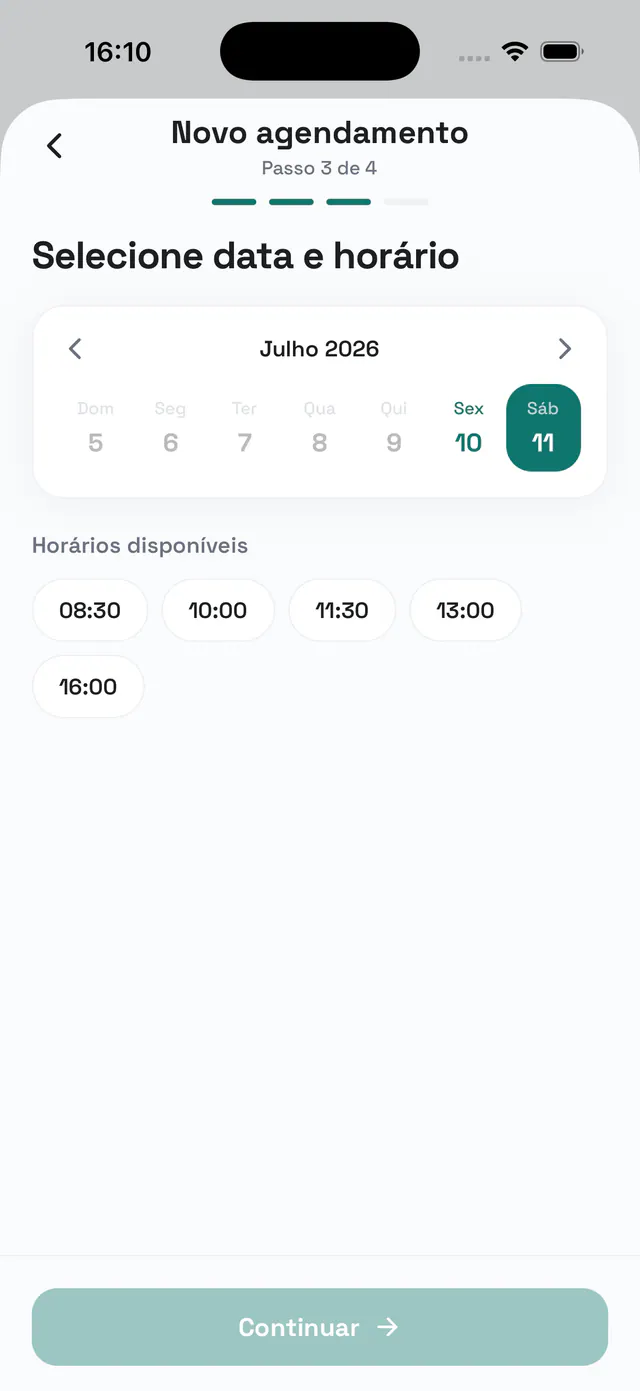
Photo selection, side by side with the graduate
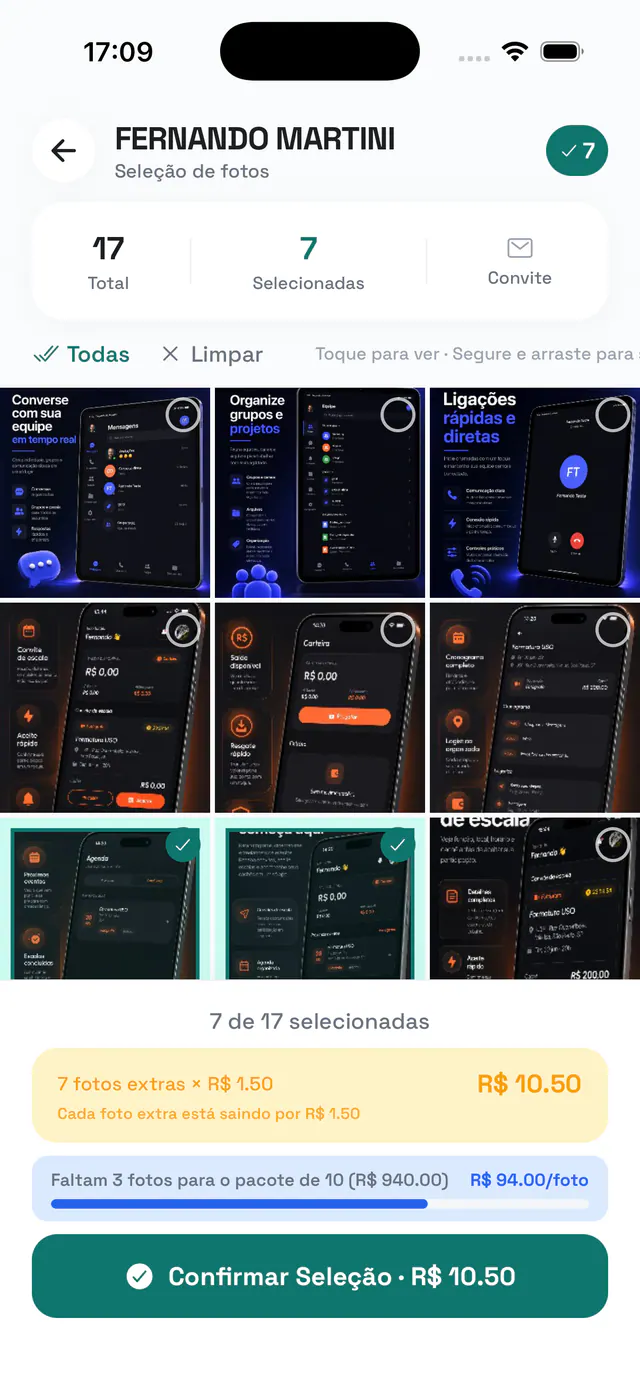
Open the session and choose photos together in a smooth grid, with full screen, pinch zoom, and gestures to select and browse. With every selected photo, the app counts the free allowance (included photos plus bonuses), calculates extra photos in real time, and shows how many remain until the next package, with the price ready on the spot.
- Grid with full screen, pinch zoom, and gestures
- Total and selected counts updated instantly
- Free allowance: included photos plus bonuses
- Extra photos and package progress calculated live
Check everything before closing
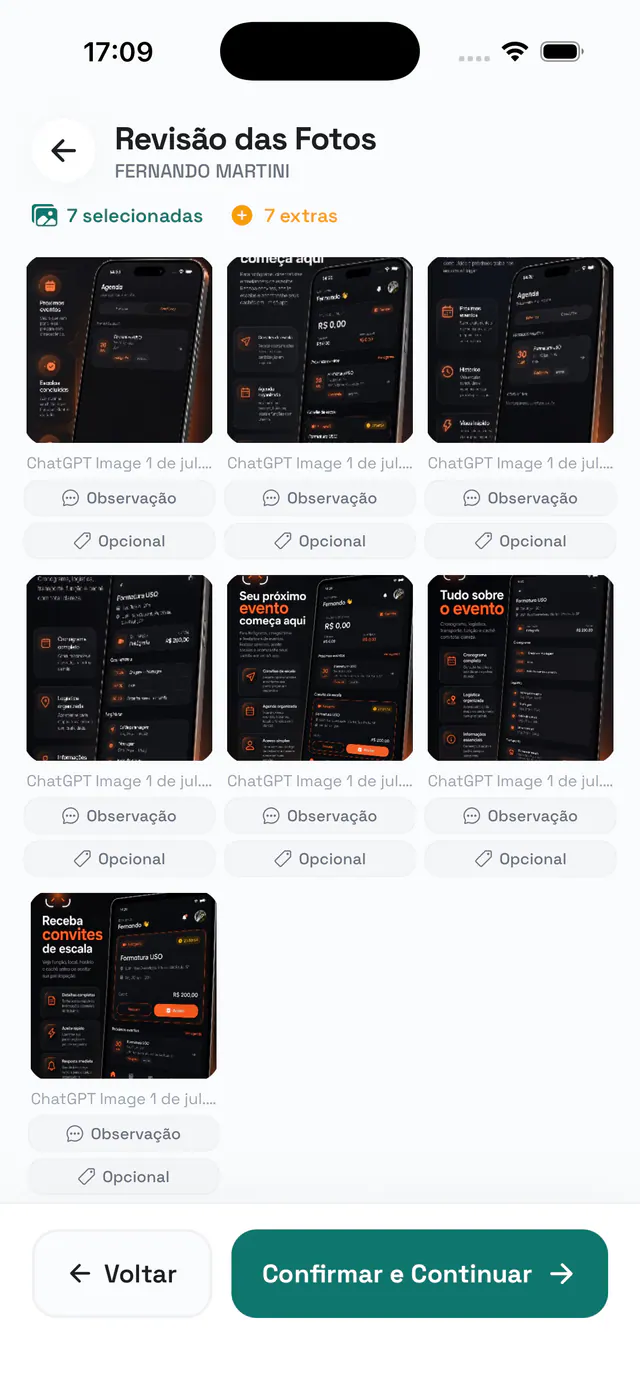
Before finishing, the review shows selected and extra photos in a clear summary. Graduates can leave a note and mark options on each photo, so the studio knows exactly what to deliver. Once everything is checked, just confirm and continue.
- Summary of selected and extra photos
- Notes per photo to guide delivery
- Optional markings on each photo
- Confirm and continue to checkout
A little boost to the order value
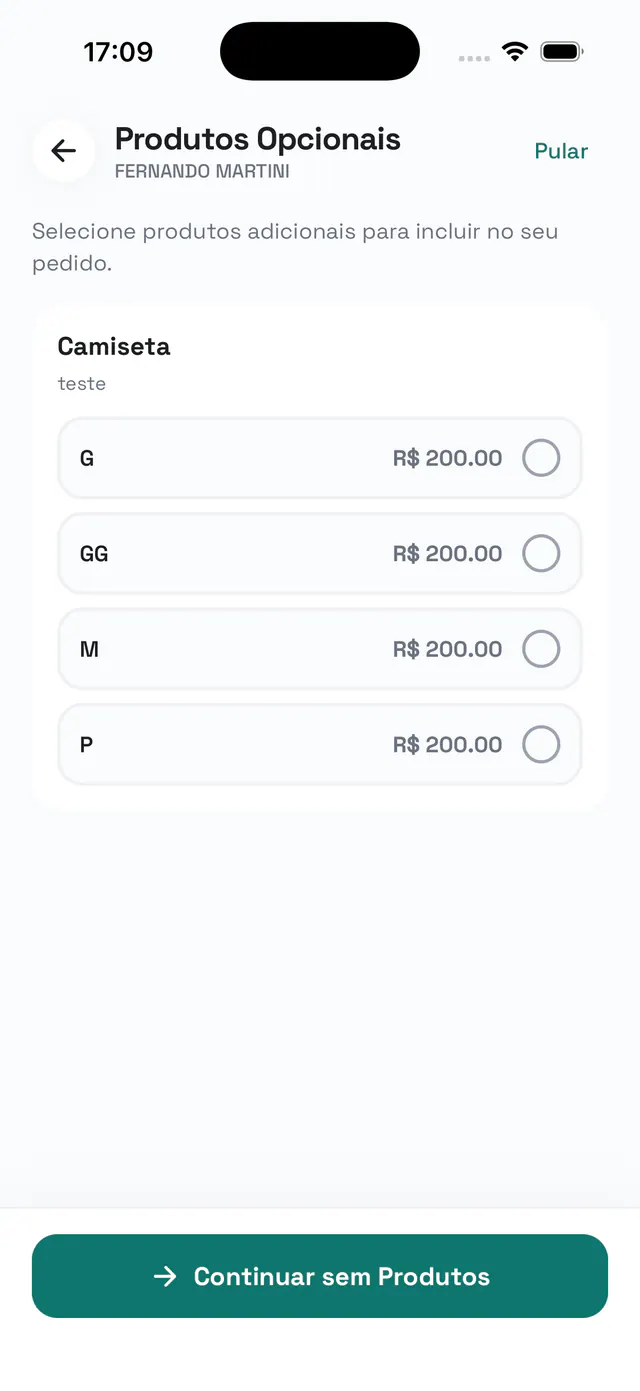
After selection, offer add-on products for the order, such as T-shirts and other items, with ready-made variations and prices. Graduates choose what they want and the amount is added to the total, or they skip the step with one tap when it does not fit.
- Add-on products for the order
- Ready-made variations and prices (sizes, types)
- Amount added to the order total
- Optional step you can skip
Order approval right on screen
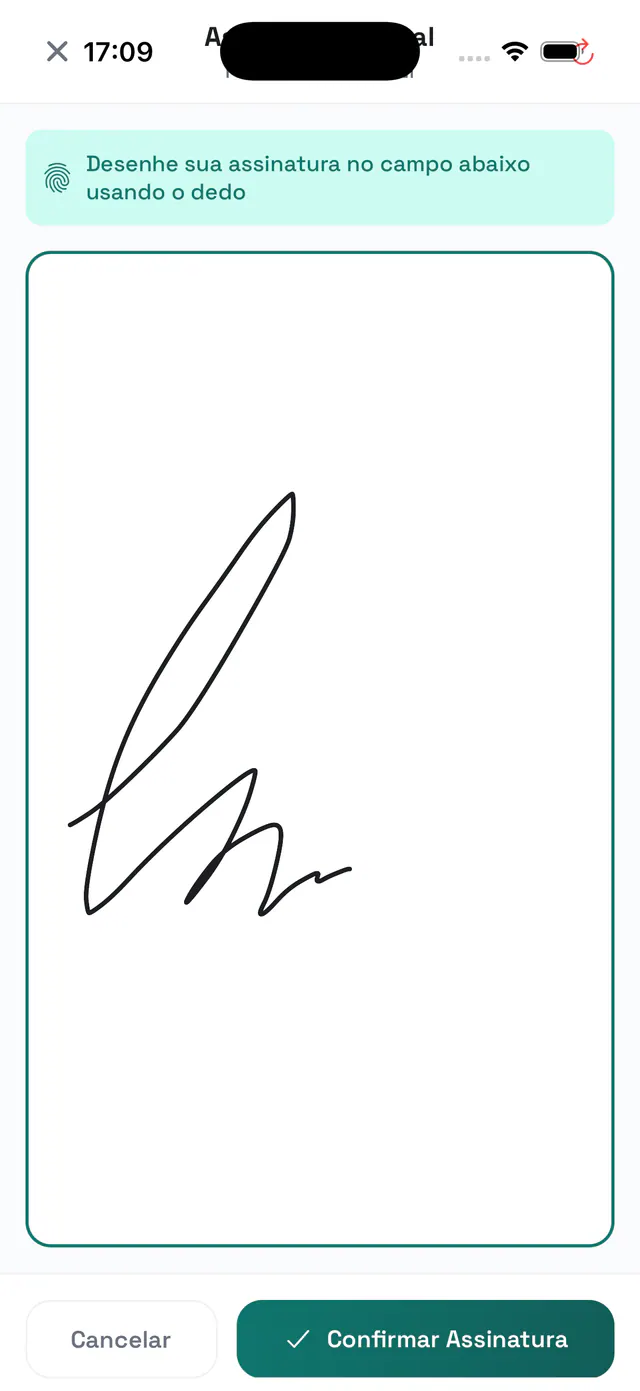
Once the selection is complete, the graduate reads the selection terms, accepts them, and signs on the device screen with a finger. The signature is captured and attached to the order, keeping everything documented before going straight to payment, with no paper and without leaving the desk.
- Selection terms shown with required acceptance
- Signature drawn on screen with a finger
- Signature attached to the order
- Straight flow to payment
From summary to payment
After signing, the app builds the order and takes payment right at the desk, with every payment method and installment option your studio accepts.
Order summary
Payment methods, installments, down payments, and manual receipts on one screen.
Pix with QR code
Generate the Pix QR code and copy-and-paste code so graduates can pay instantly, no card machine needed.
Card, bank slip, and more
Credit card, bank slip, cash, or manual entry, however your studio accepts payment.
Installments with fees
Fee simulation and installment plans based on your payment rules.
Overdue installments
The app checks the graduate outstanding balance before closing, avoiding surprises at checkout.
Order confirmation
Final receipt with Pix QR code, bank slip, copy-and-paste code, and installment summary.
Photographer & salesperson
Bookings, selections, and orders linked to the responsible photographer and salesperson.
Selection settings
Deadline, included photos, bonuses, and extra photo pricing set before you start.
Quick to sign in, secure inside
Team login
Email and password access, restricted to the studio team, with automatic session refresh.
2FA / authentication
Second factor with an authentication code (TOTP) for accounts that need extra protection.
Sign in with a code
Passwordless access: receive a code by email and sign in with a few taps.
Data isolation
Each studio sees only its own sessions, graduates, and orders.
Works offline
Connection alerts and local storage: the selection syncs when the internet is back.
Light & dark theme
An interface that adapts to the device, comfortable at the desk day or night.
Download Partiu Estúdio
Free for iPhone and Android. Sign in with your studio team login and start serving clients, selecting photos, and closing orders wherever you are.
Prefer a computer? Open the Studio Portal on the web.
The app is for the studio.
The platform is complete.
Partiu Estúdio is the client service point of a complete graduation management system. Subscribe to Partiu Formatura and get it all in one place: studio calendar and staff scheduling, photo selection and delivery, galleries with facial recognition, finance and billing, tickets, contracts, and your company's own app in the stores.
- Studio calendar and staff scheduling with stations and times
- High-resolution photo selection, review, and delivery
- Galleries with facial recognition and photo sales
- Integrated finance: Pix, card, bank slip, and installment plans
Data isolated by company · modules configurable per class · your app with your brand*.
* Apple requires the app to be published through an Apple account in your company's name. We handle the publishing for you.